Property listings and search
Search and listing pages that sell your stock.
Your listings, presented as well as the portals present them, on the one site where you are the only agent.
Search
Filters that buyers actually use.
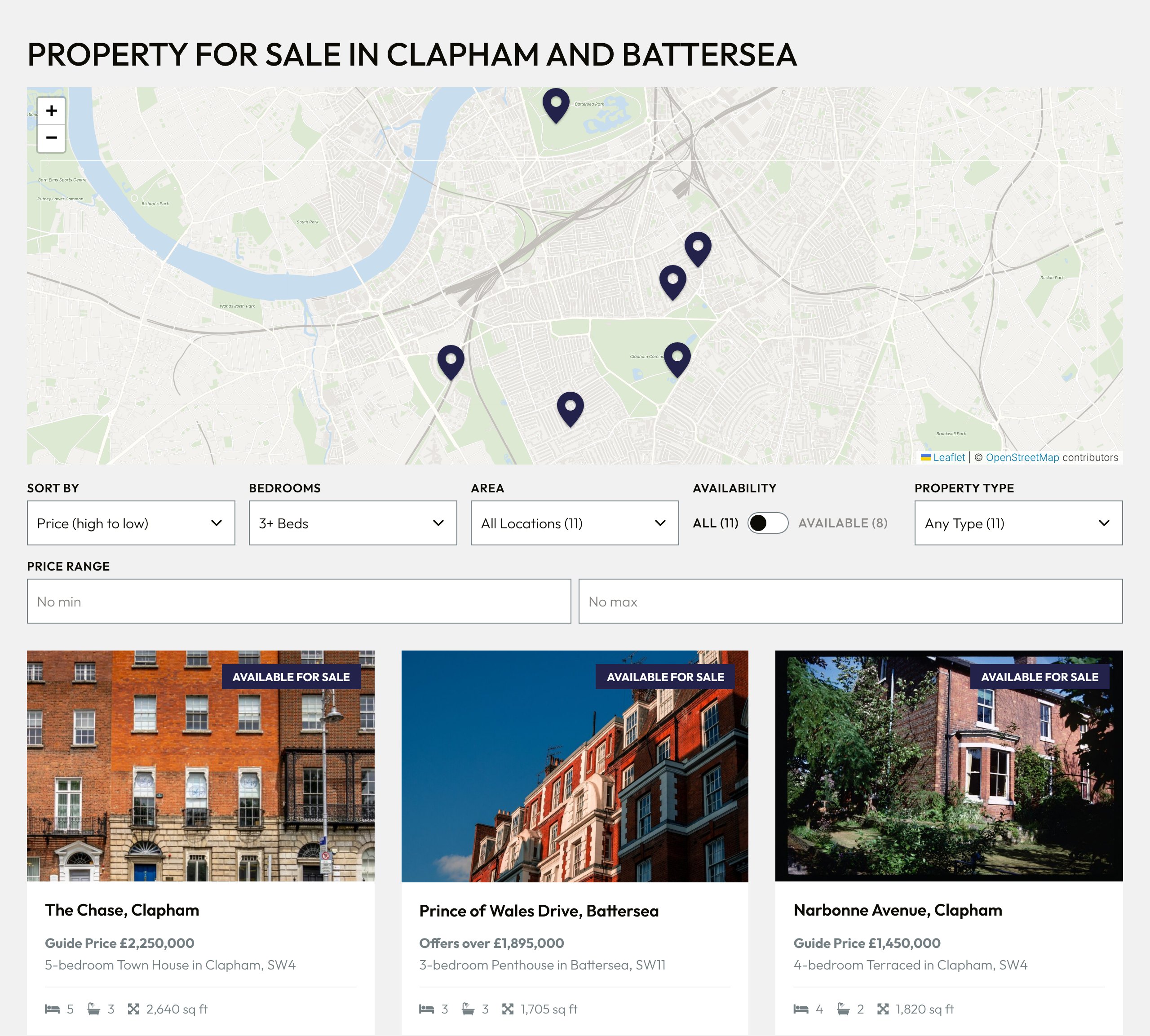
Price, bedrooms, property type and availability, on a page that loads the next set of results without starting again. Sales and lettings each get their own search, with menus sized to the stock you actually have.
- Price steps that widen as prices rise, so a £12m listing is reachable in a short menu
- An Available only switch for buyers who do not want to see what has gone
- Results on a map beside the list, updated with every filter
Listing pages
Every listing page reads like a brochure.
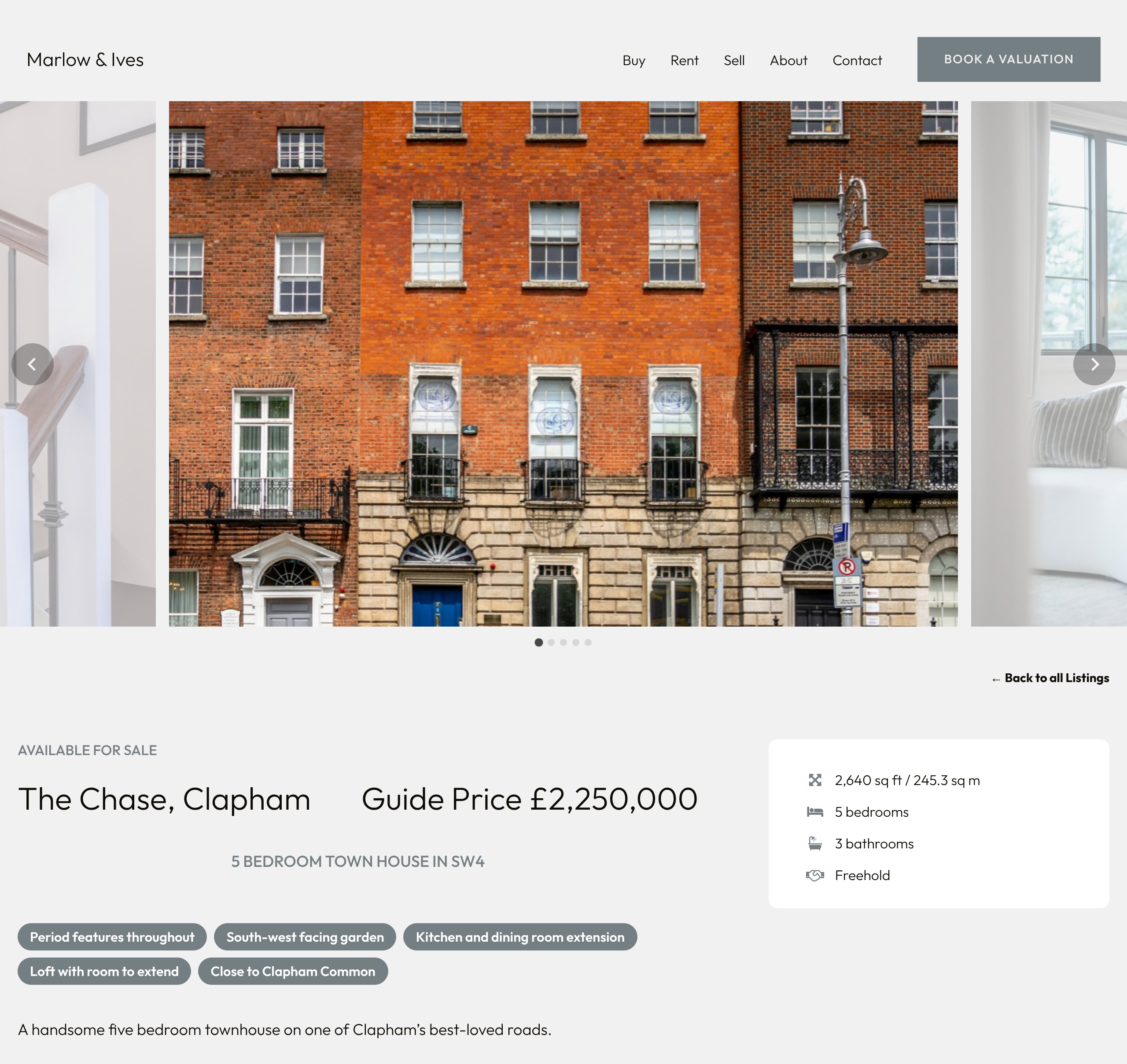
A large gallery, the facts a buyer scans for, the agent’s description in proper paragraphs, and floorplans, EPCs and brochures one tap away. The enquiry and viewing forms sit beside it all, and they know which property they are on.
- Price wording kept from your CRM: Guide Price, Offers in Excess of
- Floor area typed once and shown in square feet and square metres
- Sold and let listings say so, and offer the rest of your stock instead of a viewing
Maps
A map that respects your vendors.
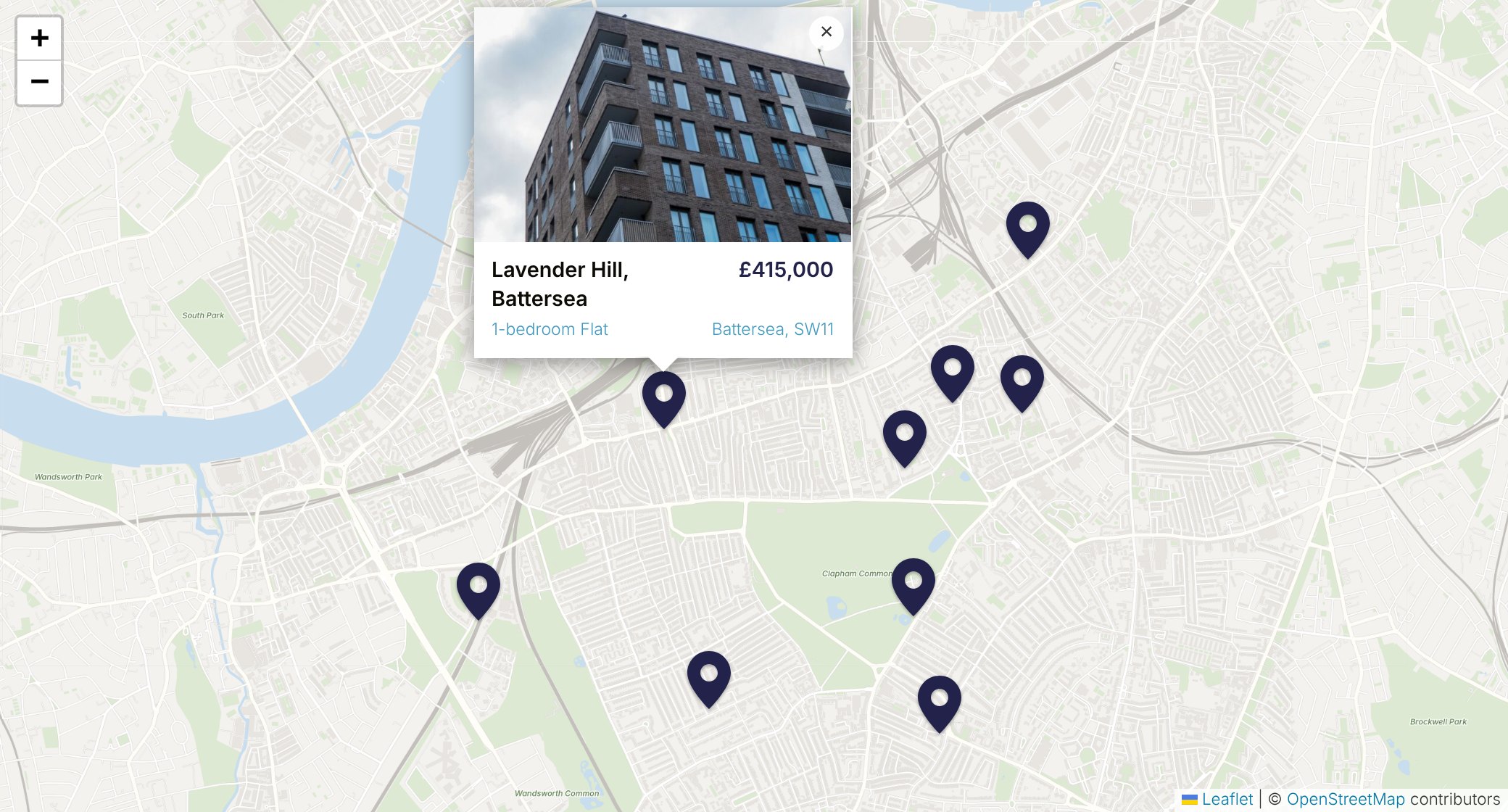
Every listing can appear on a map, on its own page and across the search results. One setting moves every pin to the centre of its postcode, for agencies that would rather not point at a vendor’s front door.
- Map tiles load only after a visitor asks to see the map
- Pins drawn in your brand colour
- Directions handed to Google Maps with one tap
Included
Everything in the box, at no extra cost.
- Sales and lettings, with rent periods as your CRM records them
- Search by district, or within a distance of a place
- Featured listings as a grid or a carousel, ordered by date or price
- Status badges such as Available, Under Offer and Sold STC
- Developments and buildings with their own pages and available units
- Prices shown in a second currency for overseas buyers, on request
- Photos resized for every screen, so pages stay fast on mobile data
- Listing addresses built from beds, type, street and area
- A permanent redirect when a listing’s address changes
- Structured data on every listing, for search engines
- Floorplan, brochure, EPC and virtual tour buttons on every listing
Questions
Common questions.
Can we keep sold and let properties on the site?
Yes. Sold and let listings stay up as proof of what you achieve, clearly marked. Their viewing forms are replaced by a message and a link to your current stock, so nobody books a viewing on a house that has gone.
Do we choose which listings appear?
Your CRM decides what is published, as it does for the portals. On the website you can feature particular listings, lock one so the feed leaves your edits alone, or keep a listing private.
Will listing pages show up on Google?
Each listing has its own address made from its details, a title and description written for search, and structured data describing the property and its price. When a listing’s details change its address follows, and the old one redirects to the new.
Can buyers search by area?
Buyers can filter by district or search within a distance of a place. Area guide pages show the listings in that area beneath your own writing about it.
Keep reading
More of what Realist does.
CRM integration
Listings, photos and documents from your CRM, with every change logged.
Valuation leads and reports
Forms that never lose a lead, and a monthly report led by valuations.
Design and editing
Your brand on a proven design, and every page editable by you.