BLM feed
The feed your CRM sends Rightmove, on your own site.
BLM is the file format the portals receive. If your CRM can send one, Realist can read it, with its photos, floorplans and documents.
How it works
Your CRM uploads, Realist does the rest.
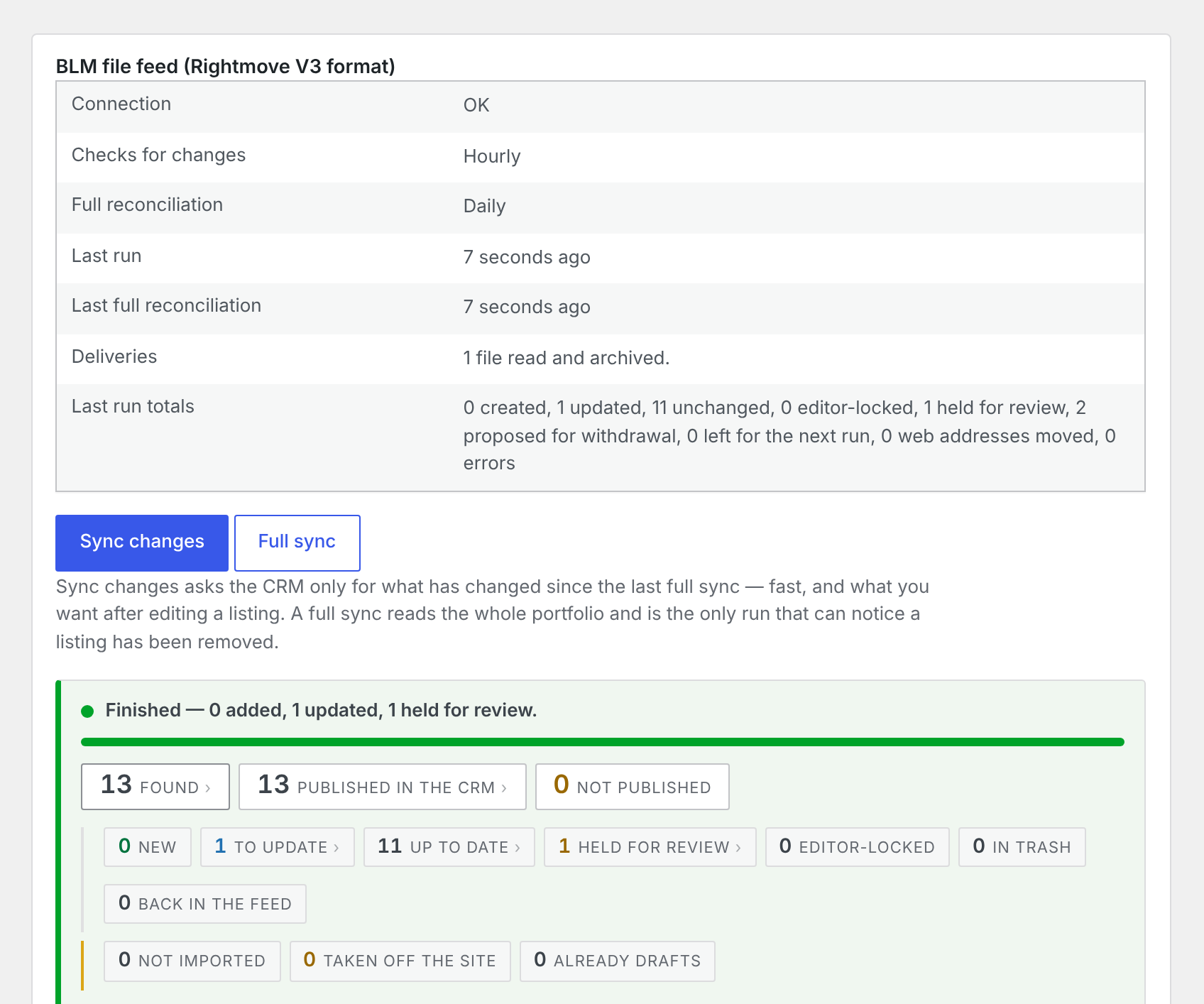
Your CRM uploads a BLM file and its images to your website’s server, exactly as it uploads them to a portal. Realist waits until the upload has finished, reads the file, imports every listing and archives the file it used.
- A single .blm file, or a ZIP with its images
- Uploads still in progress are left until they finish
- Codes Realist does not recognise are reported, not guessed
Safety
A broken file never empties your website.
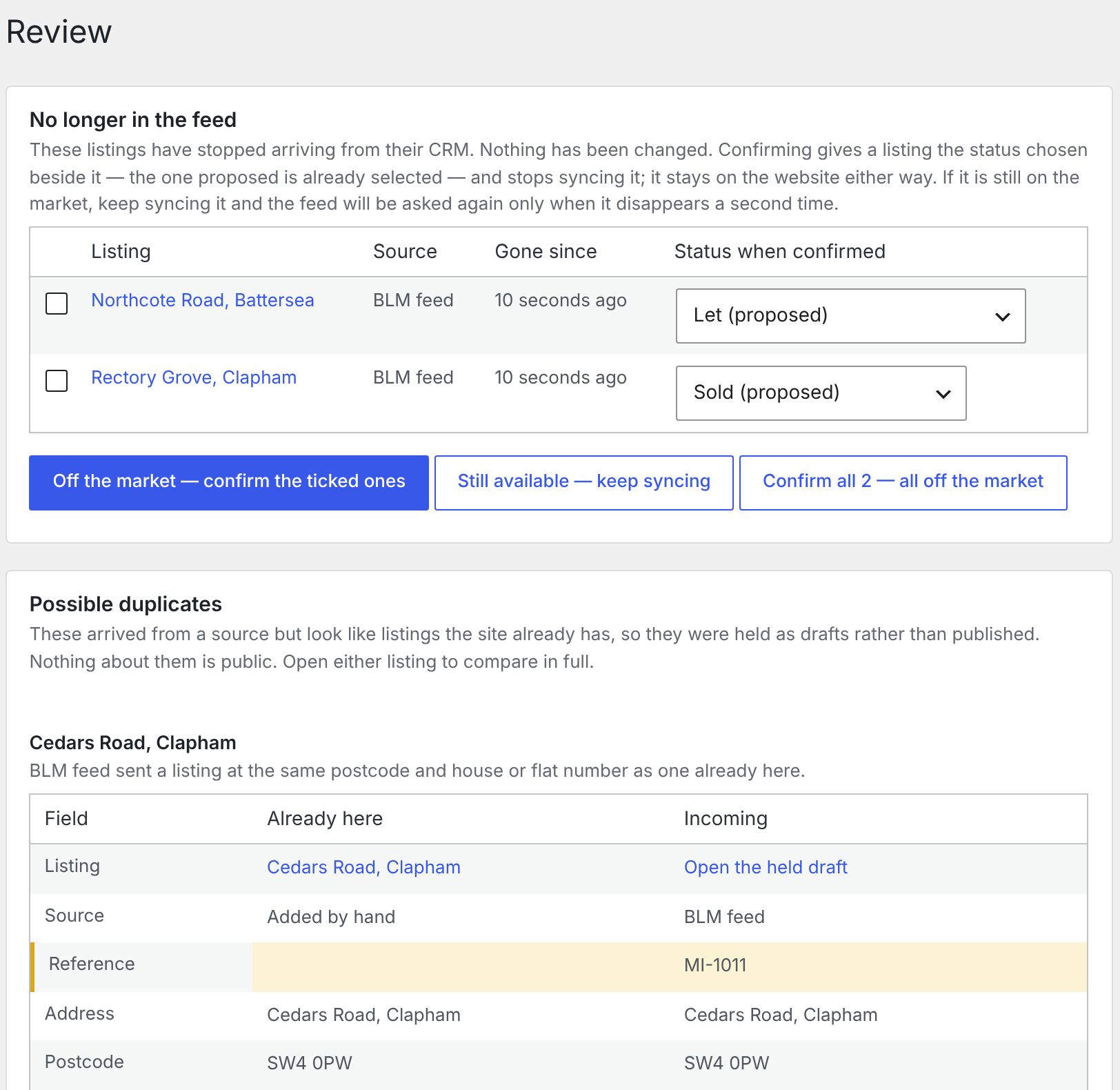
A BLM file signals a sold or withdrawn listing by leaving it out. That makes a half-uploaded file look like half your stock disappearing. Realist will not withdraw more than a safe share of your listings from one file, and every withdrawal waits for a person to confirm it.
- Withdrawals proposed in a review list, never applied blindly
- A record dropped for missing its reference is named in the log
- Every run says whether there was no file or a file still uploading
Questions
Using a BLM feed with Realist.
Which CRMs send BLM?
Estates IT sends BLM by default and Jupix offers it as a contracted option. Other CRMs usually send their own format or work through an API instead, so check our integrations page for yours.
Do we have to pay our CRM for another feed?
That depends on your CRM and your contract. Some include a website feed and some charge for it. We will help you ask the right question.
How often is the feed read?
As often as your CRM sends it. Realist checks for a new file every hour, and you can run it on demand at any time.
Can we use BLM alongside another source?
Yes. A BLM feed can run beside a direct connection or a CSV import, and a property that arrives from both is held for review rather than duplicated.